Showing posts with label Troubleshoot. Show all posts
DLL function call crashed: ISRT._RegQueryKeyValue Fix

DLL function call crashed: ISRT._RegQueryKeyValue Fix

DLL function call crashed: ISRT._RegQueryKeyValue Fix

When setting up a system, there are issues that we did not anticipate before.
If the issue is already listed in your "bank issue", no problem, we will quickly resolve it.
But if the issue is first experienced, there will be a ritual "tinkering" that must be done, where to get "insight" can be in minutes, hours, days and even weeks.
Sharing a little about SAP Business One.
Sympton:
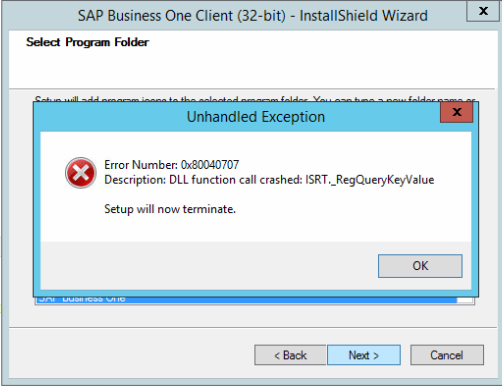
Error saat melakukan instalasi SAP BUsiness One Client, dengan pesan:
Error Number 0x80040707
Description: DLL function call crashed: ISRT._RegQueryKeyValue
Environment:
Operating sistem : Windows Server 2012 R2 Essentials Edition
Database : SQL Server 2012 R2 Standard Edition
SAP Business One version : 9.1 PL 05
SAP B1 Installation Error
Solution:
Enter regedit, click the start button type run and write regedit in the search box.
  1. Perform backup registry first to anticipate things that are not desirable (read: damage to the OS if you delete the wrong key).
  2. Open the HKEY_LOCAL_MACHINE \ SYSTEM \ CurrentControlSet \ Control \ Session Manager key.
  3. In the pane on the right, look for the PendingFileRenameOperations key, right-click then click Delete.
  4. Close the windows registry and please try the installation process again.
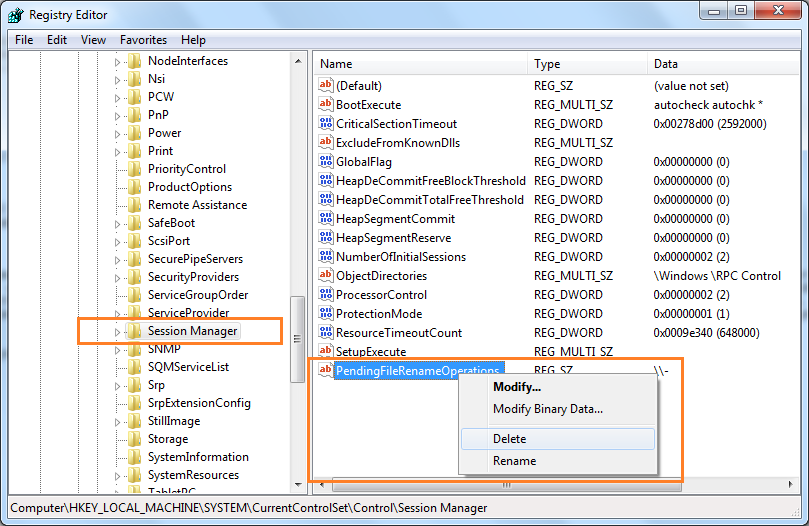
SAP B1 Registry
Note:
For this case you don't need to restart the server.
May be useful
PO (Purchase Order) With a Different Company Logo

PO (Purchase Order) With a Different Company Logo

How To PO (Purchase Order) With a Different Company Logo.

The case is like this: SAP B1 with 1 (one) database where in it is a holding company with a number of its subsidiaries, wanting that the PO (Purchase Order) document created has a logo in accordance with the company name.
After trying to finally find a solution to these needs, in fact this is a challenge for the writer where initially some friends had said that it was "not possible", but on the other hand & (most importantly of course) is the desire of the writer to help the Procurement Department print the PO that has been made directly from SAP B1.
Of course, if we look at the SAP B1 standard PO form layout it is not in accordance with the internal needs of the company, for that we can make it yourself in accordance with the desired model. In making it, the authors use Crystal Report 2008 which is the SAPA B1.
The following are the manufacturing steps:
  1. Prepare pictures of a number of companies owned.
  2. Save the image with a name according to the code of each company.
  3. Save the image in an image file extension, for example JPG (the file size is small compared to BMP).
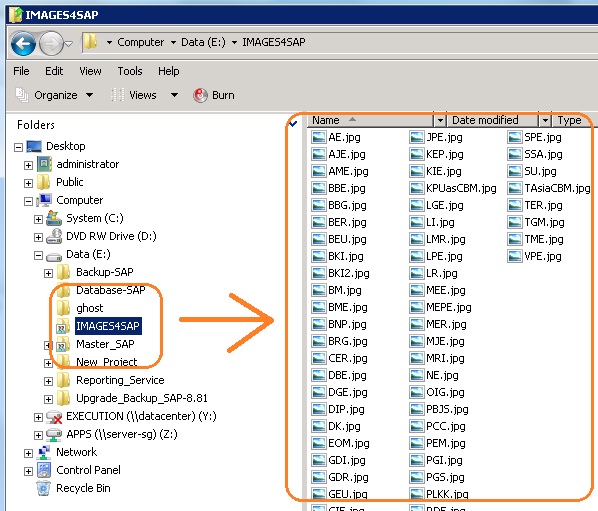
  4. Create a folder on the SAP B1 Server to save the image.
  5. Sharing of image folders created with full authorization.
  6. Make the required PO form layout.
  7. Create a formula in Crystal Report so that the image appears according to the company name.
  8. Mapping network drives in each SAP B1 PC Client, with the letter drive in accordance with the formula made.
To make it easier to understand, the author attaches the following screen shoot images:
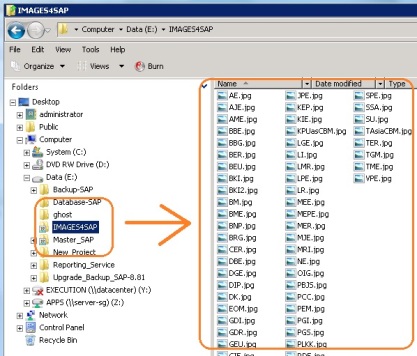
SVR
"Folder containing images created on Server-SAP B1"
CLIENT
"Mapping network drive in SAP B1 PC Client"
In the Crystal Report layout, enter an image of the company logo then right-click and select "Format Graphic ..."
LayOut
"PO (Purchase Order) layout form created with Crystal Report"
Select the "Picture" tab then click the "Formula" icon, (note the author's circle).
Formula
Write "Formula" or the formula, remember that the drive letter written must be the same as the network drive mapping created on each SAP B1 PC Client, for example in this case: "V: \" + {SP_MU_PO; 1.U_Company} + ".JPG"
Note: V is a network drive letter mapping, {SP_MU_PO; 1.U_Company} is Store Procedure and .JPG is an image file extension.
Formula
"The formula for a PO (Purchase Order) to be printed in accordance with the company name"
Next is the final appearance of the PO, which will be printed with different company names.
LGETME
So that I can share on this opportunity, hopefully useful!